
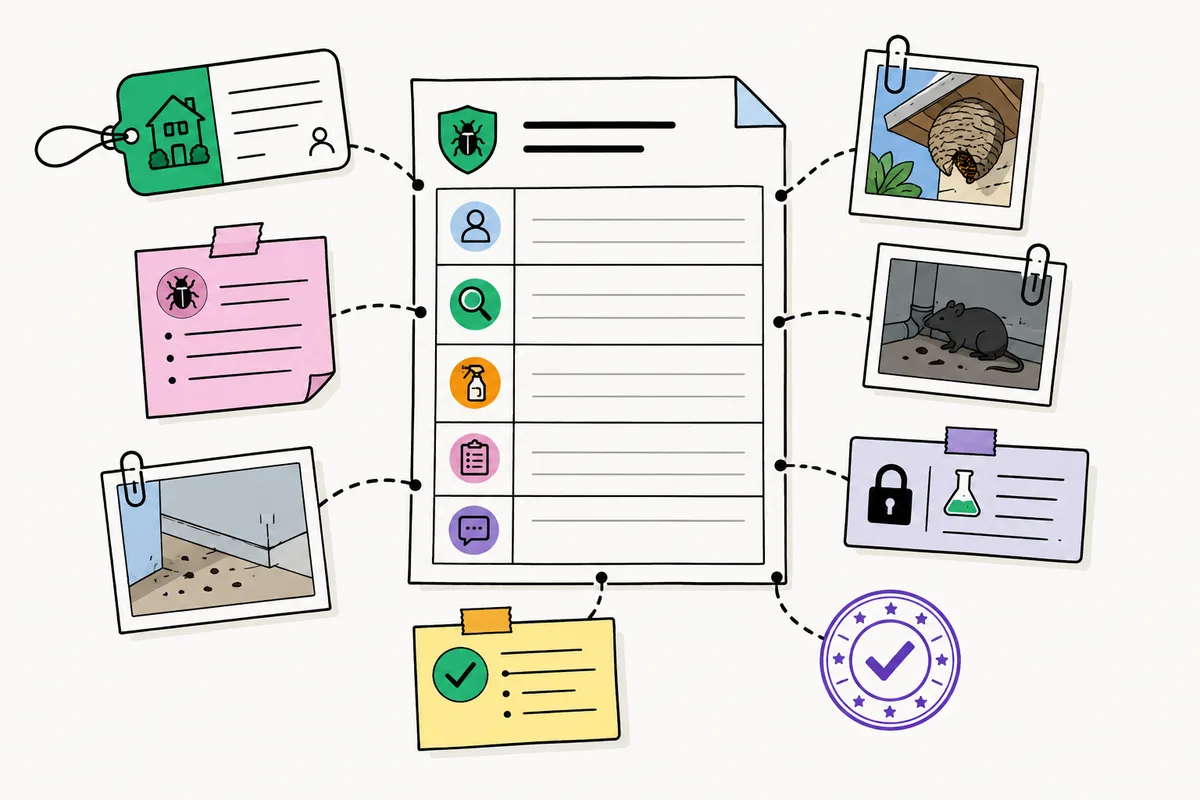
A commercial pest control service report should help a customer understand what happened during a visit and help your team maintain a dependable service history. A useful report does more than list a date and a technician name. It connects the site, findings, work performed, supporting evidence, recommendations, and any next steps.
The exact records required for a visit vary by service type, customer agreement, and jurisdiction. This guide is an operational checklist—not legal or regulatory advice. Use it to standardize your reporting process, then have the appropriate qualified reviewer confirm any location-specific requirements.
Why service reports need a consistent structure
When each technician documents a visit differently, the office spends more time clarifying notes, locating photos, and preparing customer updates. The customer may receive an incomplete account of what was inspected or what they need to do next.
A consistent service-report structure makes visits easier to review because every report answers the same practical questions:
- Which customer site was serviced?
- What did the technician observe?
- What work was completed?
- What evidence supports the record?
- What should happen next, and who owns it?
The result is not simply a neater document. It is a service record that is easier to understand, search, review, and discuss with the customer.
The seven parts of a commercial pest control service report
1. Customer, site, and visit information
Start with the information that identifies the service event:
- customer and site name;
- service address or site area;
- service date and time;
- technician name or identifier;
- work-order or service reference number;
- service type or scheduled visit context.
These details make it possible to connect a report to the correct location and service history—especially when your team handles recurring visits or multiple sites for the same customer.
2. Inspection findings and site observations
The report should clearly describe what the technician found. Depending on the work, that may include observed pest activity, areas inspected, contributing conditions, or changes since the previous visit.
Good observations are specific enough for a manager or customer to understand the situation without needing a separate phone call. For example, identify the location of an observation and describe the relevant condition rather than recording only "activity found."
3. Work performed
Document what the technician did during the visit. This could include inspections completed, devices serviced, treatment activity, sanitation or exclusion observations, or other work included in the service scope.
Use language that is clear for both the office and the customer. A report should communicate the completed work without requiring the reader to interpret internal shorthand.
4. Treatment and controlled service details
Where your workflow requires treatment details or other controlled information, record them in a structured way and ensure they are reviewed according to your company's procedures.
The precise fields required can differ by location and service type. If your reports include information such as products, active ingredients, EPA registration numbers, amounts, or site details, have the appropriate qualified reviewer confirm the fields, terminology, and process used for each market.
For teams that need an additional check, a controlled confirmation step can help prevent sensitive details from being finalized without deliberate review.
5. Photos and other field evidence
Photos can make a service report more useful when they document a relevant finding, completed work, or recommended action. Voice notes can also help a technician capture details while they are on site, provided the information is reviewed and structured before it is delivered.
Evidence works best when it stays connected to the exact work order and location it supports. A photo library outside the service record may be difficult to interpret later; a photo attached to the relevant finding gives the reader context.
6. Recommendations and follow-up actions
A clear service report should distinguish between work completed during the visit and actions that remain open.
Include:
- the recommended action;
- the affected location or issue;
- who should take the next step;
- the expected timing, when appropriate;
- whether a follow-up visit or review is needed.
This turns the report into a useful operational handoff rather than a historical summary only.
7. Review, acknowledgment, and report delivery
Before the report is delivered, someone should be able to check that the required information is complete and understandable. Depending on your process, that may be the technician, an office user, a manager, or more than one person.
Your team may also need a record of customer acknowledgment or internal approval. Define that process clearly so it is consistent across technicians and sites.
A simple service-report review checklist
Before a report is sent, ask:
- Is the customer site and service visit identified correctly?
- Do the findings explain what was observed and where?
- Is the completed work documented in clear language?
- Are the supporting photos or notes attached to the correct record?
- Have sensitive details been confirmed under the company's process?
- Are recommendations specific, actionable, and assigned?
- Has the report been reviewed before export or delivery?
This checklist does not replace the procedures your organization must follow. It helps make routine quality review practical and repeatable.
Move from a template to a reviewable workflow
A template can improve consistency, but it may not solve the full reporting process. The office still needs to know whether the technician captured the right information, whether evidence is attached, whether follow-up is clear, and whether the report is ready to send.
IPMTrace brings that work into a connected workflow:
- The office assigns the work order with the required visit context.
- The technician captures photos, voice notes, and service information in the field.
- The team confirms sensitive details according to its process.
- An office user or manager reviews the record.
- Confirmed records can be exported as PDF, CSV, or JSON.
That sequence gives your team a more structured path from the site visit to the customer report.
See the audit-ready pest control work-order workflow
Or Book a demo.
Frequently asked questions
What is the difference between a work order and a service report?
A work order organizes the work to be completed and the record of the visit. A service report is the customer-facing or internal record produced from that completed work. The exact definitions vary by company, but connecting the two helps keep the report tied to the work and evidence behind it.
Should every service report include photos?
Not necessarily. Include photos when they add useful context to a finding, completed work, or recommended action. Your organization should define when photos are appropriate for each service type and customer.
Who should review a service report?
That depends on your operating procedure. Some teams use technician self-review for routine visits and manager or office review for selected records. The important point is to define a repeatable review process for the records your team needs to check.
Can I use the same report format in the United States and Canada?
You may be able to standardize much of the operational structure, but requirements can vary by jurisdiction, customer, and service type. Review the final fields and process with an appropriately qualified person for the markets you serve.

Maya Chen
Field Operations Specialist
Maya translates field observations into practical, review-ready service records for commercial pest-management teams.